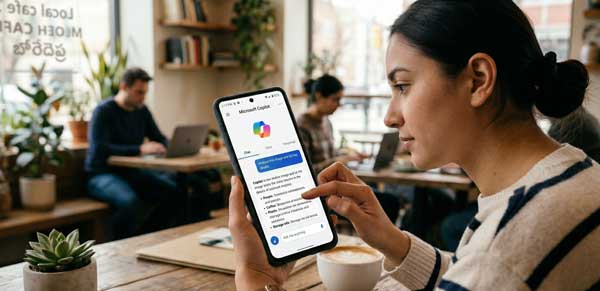
The landscape of mobile technology has shifted from simple applications to intelligent AI assistants. In 2026, the Microsoft Copilot app has emerged as the ultimate productivity companion for Android users. Powered by the latest GPT-4o and DALL-E 3 models, Copilot is not just a chatbot; it is a creative engine, a personal researcher, and a coding assistant all rolled into one. If you want to supercharge your daily workflow, mastering this AI tool is essential.
In this comprehensive 2026 guide, we will explore the professional features of Microsoft Copilot and how it can transform your Android experience. From generating high-quality images to summarizing complex documents, this manual covers the advanced capabilities of the app. Just as we optimized storage in our Files by Google Guide, integrating AI into your routine is the next step in mobile evolution.
1. What Exactly is Microsoft Copilot for Android?
Microsoft Copilot is a cross-platform AI assistant that integrates seamlessly with the Android ecosystem. Unlike basic voice assistants, Copilot understands context, maintains long-term conversational memory, and can interact with various web sources in real-time. It acts as a bridge between your ideas and execution, allowing you to draft emails, write code, or plan travel itineraries with simple natural language commands. According to official AI development standards, it is one of the most secure and versatile AI applications available on the Play Store today.
2. Key Features of Microsoft Copilot You Should Know
To get the maximum value out of Microsoft Copilot, you need to understand its core functionalities. Here are the standout tools that define this AI powerhouse:
A. Multi-Modal Conversational AI (GPT-4o)
The heart of Microsoft Copilot is its multi-modal capability. You can communicate through text, voice, or even by uploading photos. For instance, you can snap a picture of a complex math problem or a broken appliance, and Copilot will provide step-by-step solutions or repair instructions. This real-world interaction makes it a vital tool for troubleshooting and learning on the go.
B. Creative Image Generation (DALL-E 3)
Need a professional logo or a custom social media graphic? Microsoft Copilot includes built-in image generation powered by DALL-E 3. By simply describing your vision, you can generate high-resolution artistic visuals directly on your phone. This feature is a game-changer for content creators who need quick, original assets without needing complex design skills.
C. Document Summarization and Drafting
If you deal with long PDF reports or lengthy articles, Microsoft Copilot can save you hours. You can ask the AI to summarize documents, highlight key takeaways, or even rewrite content in a specific tone (e.g., professional, casual, or funny). This efficiency is the core of modern Microsoft Copilot usage, allowing you to digest information faster than ever before.
3. How to Set Up Microsoft Copilot for Maximum Efficiency
To ensure a smooth experience with Microsoft Copilot on Android, follow these professional setup tips:
- Sign In for Persistence: Always sign in with your Microsoft account. This allows the AI to remember your preferences and sync your chat history across your PC and mobile.
- Enable GPT-4 Toggle: For the most accurate and creative responses, make sure the “Use GPT-4” toggle is enabled in the app settings.
- Configure Voice Settings: Use the voice mode for hands-free assistance while driving or working. You can choose from multiple natural-sounding voices to suit your preference.
4. Professional Tips for Power Users
- Coding Assistant: Use Copilot to debug small snippets of code or explain complex programming logic while you are away from your workstation.
- Language Translation: Copilot acts as a high-fidelity real-time translator. Use it during international travel for natural, context-aware translations.
- Integrate with Office: If you use Microsoft 365, Copilot can help you draft Word documents or organize Excel data directly from the mobile app.
5. Frequently Asked Questions (FAQs)
Q1: Is Microsoft Copilot free to use on Android?
Yes. The basic version, including access to GPT-4 and DALL-E 3, is currently free. There is a Pro subscription for users who need priority access and higher usage limits.
Q2: Is my data safe with Microsoft Copilot?
Microsoft follows strict data privacy protocols. However, it is always recommended not to share highly sensitive personal information or passwords with any AI assistant.
Q3: Can I use Copilot without an internet connection?
No. Microsoft Copilot requires an active internet connection to process queries through its cloud-based neural networks.
Conclusion
In 2026, Microsoft Copilot is more than just an app; it is a gateway to the future of mobile productivity. By integrating this AI assistant into your Android workflow, you can automate mundane tasks, enhance your creativity, and find answers faster than traditional searching. As AI continues to evolve, staying updated with tools like Copilot will keep you ahead in the digital world. For more professional Android reviews and AI guides, stay connected with ApkRulz. Embrace the power of AI today!