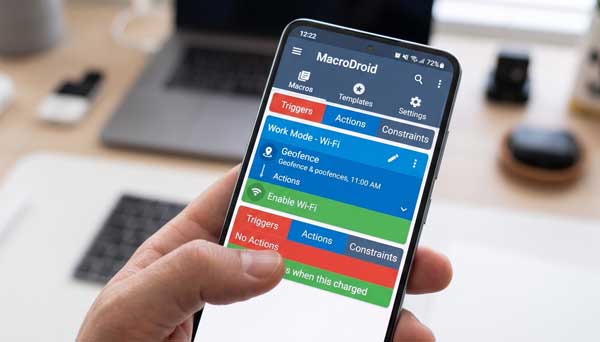
In 2026, we all want our smartphones to be smarter. We perform many repetitive tasks every day. For example, we turn off Wi-Fi when leaving home or set the phone to silent during meetings. Consequently, performing these tasks manually takes up valuable time. The MacroDroid app offers a perfect solution to this problem. It is a powerful automation tool that handles these tasks for you. If you want a hands-free mobile experience, this app is your best companion.
In this ultimate guide, we will explore the professional features of MacroDroid on Android. Moreover, we will see how it can simplify your daily routines. From basic triggers to advanced logic, this manual covers everything you need to know. Just as we explored smart searching in our Perplexity AI Guide, automating your device is a vital step in modern mobile management.
1. What is MacroDroid and How Does it Work?
MacroDroid is an easy-to-use task automation application. Specifically, it works on a simple logic of “Triggers” and “Actions.” A trigger is an event that starts a task. For instance, plugging in your charger can be a trigger. Subsequently, the action is what the phone does. For example, it can start playing music or dim the screen. Therefore, you don’t need coding skills to create complex workflows. As a result, anyone can automate their phone in minutes.
2. Key Features of MacroDroid for Android
To get the best experience, you must understand the core components of the app. Here are the standout features that define its performance:
A. Over 70 Triggers for Every Scenario
This is the biggest strength of MacroDroid. For example, you can use location-based triggers (GPS) or device status triggers like battery level. Additionally, it supports connectivity triggers like Bluetooth or Wi-Fi connections. Consequently, your phone knows exactly when to perform a specific task based on your environment.
B. Extensive Action Library
Once a trigger fires, you can choose from over 100 actions. Furthermore, you can speak text, send SMS, or launch specific apps. For instance, you can create a macro that reads your incoming notifications out loud while you are driving. This feature significantly enhances your safety and productivity.
C. Constraints for Precise Control
Sometimes you only want a task to run at specific times. However, MacroDroid allows you to add constraints. For example, you can set a macro to turn on your house lights only after sunset. Additionally, you can limit actions to specific days of the week. This ensures your automation is always smart and never annoying.
3. How to Set Up Your First Macro
Follow these professional steps to create your first automation on Android:
- Add Macro: First, tap the “Add Macro” button on the home screen.
- Select Trigger: Next, choose an event like “Power Connected.”
- Add Action: Subsequently, choose an action like “Launch App” and select your favorite music app.
- Save and Name: Finally, give your macro a name and save it to activate the automation.
4. Professional Tips for Power Users
- Use Templates: Additionally, check the “Templates” section to find thousands of pre-made macros created by the community.
- Variables and Scripts: Furthermore, advanced users can use variables and shell scripts for deeper system control.
- Battery Optimization: Moreover, ensure you exclude MacroDroid from battery optimization settings to keep it running reliably in the background.
5. Frequently Asked Questions (FAQs)
Q1: Is MacroDroid free to use?
Yes, it offers a free version that allows up to 5 macros. However, the Pro version offers unlimited macros and an ad-free experience.
Q2: Does it require root access?
No. Most features of MacroDroid work perfectly on non-rooted devices. However, some advanced system settings might require root or ADB permissions.
Q3: Is it safe for my battery?
Yes. MacroDroid is highly optimized. Therefore, it consumes very little power unless you create macros that use GPS or screen-on features constantly.
Conclusion
In conclusion, MacroDroid is a game-changer for Android productivity. By automating repetitive tasks, it allows you to focus on what truly matters. If you want to make your phone work for you, making this app a part of your routine is a brilliant choice. For more professional Android app reviews, stay connected with ApkRulz. Start automating today!
App Information:
You can access the latest version of the app directly from the official store.