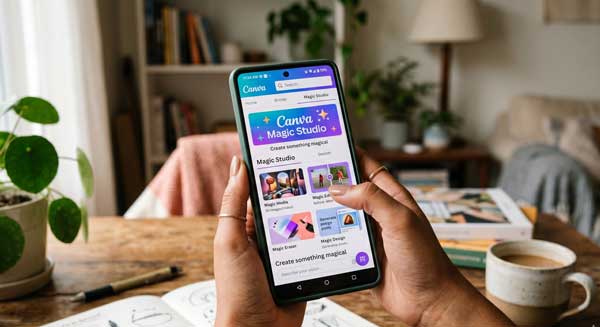
In 2026, creating professional designs on a smartphone has become incredibly easy. We no longer need expensive computers or complex design skills. Consequently, the Canva AI Magic Studio has transformed our Android devices into powerful creative hubs. Whether you want to design a social media post or a professional presentation, this app handles everything. If you want to stand out in the digital world, mastering these AI tools is your best choice.
In this ultimate guide, we will explore the professional features of Canva AI on Android. Moreover, we will see how it can simplify your creative process. From Magic Media to advanced AI photo editing, this manual covers everything. Just as we automated our tasks in our MacroDroid Guide, using AI for design is a vital step in modern mobile productivity.
1. What is Canva Magic Studio?
Canva AI Magic Studio is a suite of AI-powered design tools. Specifically, it uses advanced models to understand your creative needs. Unlike traditional editors, it can generate entire layouts from a simple text prompt. Therefore, you don’t need to start from a blank canvas. Additionally, it integrates perfectly with the Android touch interface. As a result, anyone can create stunning visuals in just a few minutes.
2. Key AI Features of Canva for Android
To get the best results, you must understand the core tools of the app. Here are the standout features that define its performance:
A. Magic Media (Text to Image & Video)
This is the most powerful feature of Canva AI. For example, you can describe an image in words. Subsequently, the AI creates four unique versions for you. Furthermore, you can now generate short AI videos from text. This feature is perfect for creators who need original content quickly without searching for stock photos.
B. Magic Switch for Instant Resizing
Managing multiple social media platforms is hard. However, Canva AI makes it simple with Magic Switch. It can instantly convert a YouTube thumbnail into an Instagram Reel or a LinkedIn post. Additionally, it can translate your entire design into another language. Consequently, you save hours of repetitive work.
C. Magic Grab and Magic Edit
Editing photos within a design is now seamless. For instance, Magic Grab allows you to select and move any object in a photo. Moreover, you can use Magic Edit to swap a simple shirt for a professional suit. This level of control was once only possible in Photoshop. As a result, your mobile designs look truly professional.
3. How to Set Up Canva AI for Professional Designs
Follow these professional steps to optimize the app on your Android device:
- Create a Brand Kit: First, upload your logo and brand colors to ensure all AI-generated designs match your style.
- Access Magic Studio: Next, look for the “Magic Studio” icon in the main menu to see all AI tools in one place.
- Use Detailed Prompts: Finally, be specific when asking the AI to generate images or layouts for the most accurate results.
4. Professional Tips for Best Results
- AI-Powered Layouts: Additionally, use the “Magic Design” feature to get customized template suggestions based on your uploaded photos.
- Check for Consistency: Furthermore, use the “Magic Morph” tool to apply consistent styles and textures across different design elements.
- Collaborate in Real-Time: Moreover, use the share feature to work with your team on the same design directly from your Android phone.
5. Frequently Asked Questions (FAQs)
Q1: Is Canva AI free on Android?
Yes, many basic AI tools are free. However, advanced features like Magic Switch and higher AI usage limits require a Canva Pro subscription.
Q2: Can I use Canva AI offline?
No. Because the AI processing happens in Canva’s cloud servers, you need an active internet connection to use Magic Studio.
Q3: Are AI designs safe for commercial use?
Yes. Canva AI is designed to be safe for business. Therefore, you can use your creations for marketing and social media without worry.
Conclusion
In conclusion, Canva AI is a game-changer for mobile creativity. By using these smart tools, you eliminate the barrier between your ideas and professional design. If you want to grow your brand or social media presence, making this app a part of your routine is a brilliant choice. For more professional Android app reviews, stay connected with ApkRulz. Start designing with magic today!
App Information:
You can access the latest version of the app directly from the official store.