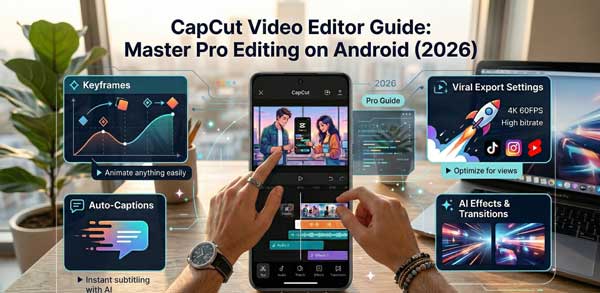
In the era of short-form content like Instagram Reels, TikTok, and YouTube Shorts, having a powerful mobile video editor is no longer a luxury—it is a necessity. While there are many apps available, the CapCut Video Editor has emerged as the global leader for mobile creators. Developed by ByteDance, this app provides professional-grade tools that were previously only available on expensive desktop software.
In this ultimate CapCut Video Editor guide, we will dive deep into its standout features, hidden editing tricks, and how you can create viral-quality videos directly from your Android smartphone. Whether you are a beginner or an aspiring influencer, this comprehensive review will help you master the art of mobile cinematography in 2026.
1. What Makes CapCut the Best Mobile Video Editor?
The success of the CapCut Video Editor lies in its perfect balance of simplicity and power. Unlike other editors that have a steep learning curve, CapCut offers an intuitive timeline-based interface. It allows users to cut, reverse, and change speed with just a few taps. Moreover, it comes packed with a massive library of trending music, stickers, and fonts that are updated daily to match current social media trends.
2. Key Professional Features You Must Use
To truly stand out as a creator, you need to go beyond basic trimming. Here are the professional tools integrated into the CapCut Video Editor that you should start using today:
A. Advanced Keyframe Animation
Keyframes allow you to create custom animations for your text, images, and video clips. You can make an object zoom in slowly or move across the screen smoothly. This feature gives your mobile edits a professional “hand-crafted” look that standard filters cannot achieve.
B. AI-Powered Auto Captions
One of the most time-consuming tasks in video editing is adding subtitles. The CapCut Video Editor uses advanced speech recognition to generate auto-captions in multiple languages. This is a game-changer for creators who want to make their content accessible to a global audience without spending hours typing.
C. Chroma Key & Background Removal
Want to change your background without a green screen? CapCut’s AI can remove backgrounds with surprising accuracy. You can also use the Chroma Key tool to overlay yourself onto cinematic landscapes or abstract backgrounds, opening up endless creative possibilities.
3. How to Set Up CapCut for High-Quality Export
Many creators complain that their videos look blurry after uploading. To ensure your CapCut Video Editor projects stay sharp, follow these export settings:
- Resolution: Always aim for 1080p or 4K if your device supports it.
- Frame Rate: Set this to 30fps for a standard look or 60fps for buttery smooth movement.
- Smart HDR: Enable this setting in the export menu to enhance the colors and dynamic range of your final video.
4. Troubleshooting Performance Issues on Android
Since video editing is a heavy task, you might face some lag. Here is how to keep the CapCut Video Editor running smoothly on your Android phone:
- Clear Cache: Regularly go to the app settings and clear the cache to free up temporary storage.
- Close Background Apps: Ensure no other heavy apps (like games) are running in the background while you edit.
- Use Proxy Mode: If editing 4K footage, use the proxy setting to edit in lower resolution while exporting in full quality.
5. Frequently Asked Questions (FAQs)
Q1: Is CapCut free to use?
Yes, most features are free. There is a “Pro” version for exclusive filters and cloud storage, but the free version is more than enough for 90% of creators.
Q2: Can I remove the watermark?
Absolutely. Unlike other apps, you can simply click on the ending clip in your timeline and delete it to remove the watermark for free.
Q3: Does CapCut work on low-end phones?
It works on most devices with at least 3GB of RAM, but higher-end processors provide a much smoother experience during 4K editing.
Conclusion
The CapCut Video Editor has truly democratized video production. It allows anyone with a smartphone to become a filmmaker. By mastering the tools we discussed today—like keyframes, auto-captions, and AI background removal—you can elevate your content and grow your social media presence. For more Android app reviews and technical guides, stay connected with ApkRulz. Start creating your masterpiece today!