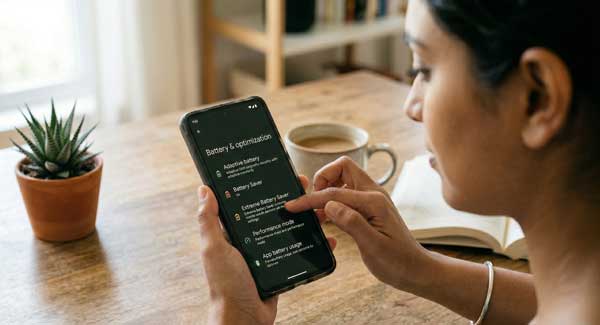
In 2026, despite having large battery capacities, many users find their smartphones struggling to last a full day. High-refresh-rate displays, powerful processors, and constant 5G connectivity are the primary culprits. However, with the right Android Battery Life Optimization techniques, you can significantly extend your device’s endurance. Whether you are using a mid-range phone or a premium flagship, these expert strategies will help you get more hours out of every charge.
In this ultimate guide, we will explore the science behind battery drain and provide actionable steps for Android Battery Life Optimization. From managing hidden background sync to calibrating your display settings, these tips will ensure your phone stays powered when you need it most. Just as we secured your data in our Android Security & Privacy Guide, preserving your hardware longevity is equally vital.
1. Understanding Battery Health vs. Battery Life
Before implementing fixes, it is crucial to distinguish between battery life (how long a single charge lasts) and battery health (the long-term capacity of the cell). Effective Android Battery Life Optimization addresses both. Modern Lithium-ion batteries degrade over cycles, but excessive heat and poor charging habits accelerate this process. According to official Android power management documentation, keeping your battery between 20% and 80% is the gold standard for longevity.
2. Top 5 Strategies for Android Battery Life Optimization
Follow these expert-recommended steps to instantly improve your Android Battery Life Optimization results:
A. Manage High Refresh Rate and Resolution
Most modern phones feature 120Hz or 144Hz displays. While they look smooth, they consume significantly more power. Switching to “Adaptive Refresh Rate” or a static 60Hz can save up to 15% of your daily juice. Similarly, reducing screen resolution from QHD+ to FHD+ is a simple yet effective part of Android Battery Life Optimization.
B. Identify Power-Hungry Background Apps
Navigate to Settings > Battery > Battery Usage to see which apps are draining your power. Social media apps often run in the background to fetch notifications. Restricting background activity for these apps is a core component of Android Battery Life Optimization. Use the “Restricted” battery profile for apps you don’t use frequently.
C. Optimize Connectivity Settings
5G connectivity offers incredible speeds but is a major battery killer in areas with weak signal. If you don’t require high-speed downloads constantly, switching to LTE (4G) can extend your usage time. Also, disabling “Wi-Fi and Bluetooth Scanning” in location settings is an often-overlooked step in Android Battery Life Optimization.
D. Leverage Dark Mode for OLED Screens
If your phone has an AMOLED or OLED display, enabling system-wide Dark Mode is the most efficient way to save power. Since black pixels are literally turned off in these displays, they consume zero energy. This is a fundamental visual and technical pillar of Android Battery Life Optimization.
3. The Truth About Battery Calibration and Fast Charging
There is a common myth that you should let your phone die to 0% to calibrate it. In reality, modern batteries don’t require this. For better Android Battery Life Optimization, avoid overnight charging and try not to use your phone while it is fast-charging to prevent excessive heat buildup, which is the number one enemy of battery hardware.
4. Best Utility Tools for Power Management
While many “Battery Booster” apps are ineffective, tools like “AccuBattery” or “Naptime” can provide deep insights into your charging speeds and deep-sleep cycles. These tools help you monitor your Android Battery Life Optimization progress and identify if a specific app is keeping your phone “awake” unnecessarily.
5. Frequently Asked Questions (FAQs)
Q1: Does Always-On Display (AOD) drain much battery?
Yes, it typically consumes about 1% per hour. Turning it off or setting it to “Tap to Show” is better for Android Battery Life Optimization.
Q2: Should I turn off GPS to save battery?
Leaving GPS on doesn’t drain battery unless an app is actively using it. However, restricting location access for non-essential apps is a smart Android Battery Life Optimization move.
Q3: Will a software update improve my battery life?
Usually, yes. Manufacturers often include power management patches in monthly updates. Always keep your system updated for the best Android Battery Life Optimization.
Conclusion
A smartphone that dies in the middle of the day is a major inconvenience. By implementing these Android Battery Life Optimization strategies, you can take control of your device’s power consumption and extend its overall lifespan. Consistency is key—monitor your app usage and maintain healthy charging habits. For more professional Android guides and technical reviews, stay connected with ApkRulz. Make your battery last longer starting today!