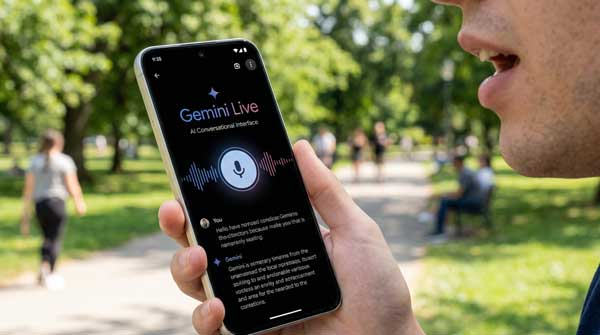
The way we interact with our smartphones has changed forever. In 2026, we have moved beyond simple voice commands like “Hey Google” to deep, natural conversations. The Google Gemini Live feature is at the forefront of this revolution, offering a hands-free, fluid AI experience that feels remarkably human. Whether you are brainstorming business ideas, practicing for an interview, or simply exploring a new topic, Gemini Live acts as your intelligent companion, ready to listen and respond in real-time.
In this comprehensive guide, we will dive into everything you need to know about Google Gemini Live on Android. From setting up the conversational mode to mastering advanced voice interactions, this manual is designed to help you get the most out of Google’s most powerful AI. Just as we explored fast voice typing in our Wispr Flow Guide, mastering Gemini Live is the next step in becoming a mobile power user.
1. What Exactly is Google Gemini Live?
Google Gemini Live is an advanced conversational mode within the Google Gemini app. Unlike traditional voice assistants that wait for you to finish a sentence, Gemini Live allows for “interruptible” dialogue. You can stop the AI mid-sentence to clarify a point or change the topic entirely, just like you would in a real-life conversation. It uses Google’s latest multimodal models to understand nuance, emotion, and complex instructions, making it a far superior alternative to the classic Google Assistant.
2. Key Features That Define Gemini Live in 2026
To truly appreciate the power of Google Gemini Live, you must understand the features that set it apart from other AI tools:
A. Natural, Fluid Conversations
The hallmark of Google Gemini Live is its flow. There are no awkward pauses while the AI “thinks.” The responses are generated almost instantly, allowing for a back-and-forth rhythm that is perfect for long-form brainstorming or complex problem-solving. You can even choose from multiple natural-sounding voices to personalize your experience.
B. Contextual Awareness and Memory
One of the most impressive aspects of Google Gemini Live is its ability to remember earlier parts of your conversation. If you are planning a trip and mentioned a budget ten minutes ago, the AI will still take that budget into account when suggesting hotels later. This long-term memory ensures that the advice you receive is always relevant and personalized.
C. Hands-Free Multitasking
Google Gemini Live is designed to work in the background. You can start a conversation, put your phone in your pocket, and continue talking through your earbuds while walking or driving. This makes it an incredible tool for busy professionals who need to organize their thoughts or draft emails while on the move.
3. How to Set Up and Use Gemini Live on Android
Follow these professional steps to enable and master Google Gemini Live on your device:
- Update the Gemini App: Ensure you have the latest version of the Gemini app from the Google Play Store.
- Access the Live Icon: Look for the “waveform” icon at the bottom right of the Gemini interface to enter Live mode.
- Choose Your Voice: Go to settings to select a voice that you find most comfortable for long conversations.
- Start Talking: You don’t need a “Wake Word” once the mode is active. Just speak naturally, and the AI will respond.
4. Best Use Cases for Daily Productivity
- Interview Preparation: Ask Google Gemini Live to act as an interviewer and give you feedback on your answers in real-time.
- Language Learning: Practice speaking a new language with a patient AI that corrects your pronunciation and grammar instantly.
- Creative Brainstorming: Use the AI to bounce off ideas for a new blog post, YouTube script, or business project.
5. Frequently Asked Questions (FAQs)
Q1: Is Google Gemini Live free?
Gemini Live is available for Gemini Advanced subscribers, which is part of the Google One AI Premium plan. However, limited conversational features are often available to free users during promotional periods.
Q2: Does it work with my earbuds?
Yes. Google Gemini Live is fully compatible with most Bluetooth earbuds, allowing for a completely hands-free experience.
Q3: Can it access my emails and calendar?
With your permission, Gemini can integrate with Google Workspace to help you summarize emails or schedule meetings during your live conversation.
Conclusion
In 2026, Google Gemini Live represents the pinnacle of AI interaction on Android. It turns your smartphone from a tool into a partner, capable of helping you navigate the complexities of modern life through simple conversation. By embracing this technology, you are not just using an app; you are stepping into a future where technology understands and serves you better than ever before. For more professional Android app reviews and the latest AI guides, stay connected with ApkRulz. Start your first conversation today!