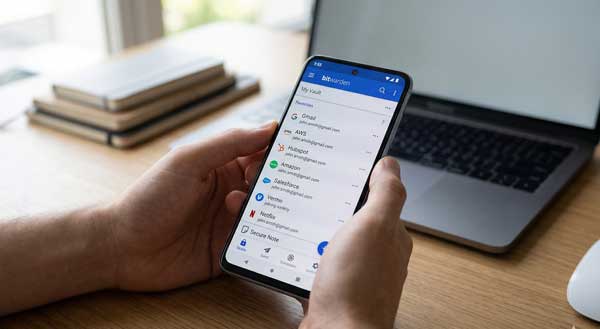
In 2026, online security has become more important than ever. We use dozens of apps and websites daily. Consequently, remembering strong passwords for every account is nearly impossible. Many users commit the mistake of using the same password everywhere. However, this habit makes you a prime target for hackers. The Bitwarden app provides a professional solution to this problem. It is an open-source password manager that keeps your data encrypted and safe.
In this ultimate guide, we will explore the professional features of Bitwarden on Android. Moreover, we will see how it can simplify your digital life. From generating complex passwords to secure vault sharing, this manual covers everything. Just as we mastered AI editing in our Adobe Firefly Guide, securing your accounts is a vital step in your digital journey.
1. What is Bitwarden and Why is it Secure?
Bitwarden is a highly rated, end-to-end encrypted password management service. Specifically, it uses “Zero-Knowledge” encryption. Therefore, only you can access your data. Even the developers of the app cannot see your passwords. Unlike other managers, Bitwarden is open-source. This means experts regularly audit its code for security. As a result, it remains one of the most trusted security tools available on the Play Store today.
2. Key Security Features of Bitwarden
To get the best protection, you must understand the core tools of the app. Here are the standout features that define its performance:
A. Strong Password Generator
This is the most essential feature of Bitwarden. For example, you can create unique passwords with a mix of symbols, numbers, and letters. Subsequently, the app saves these passwords in your secure vault. Additionally, you can customize the length and complexity of each password to meet different site requirements.
B. Biometric Unlock and Auto-fill
Typing long passwords is tedious. However, Bitwarden supports fingerprint and face unlock on Android. Furthermore, its auto-fill service detects when you are on a login page. Consequently, it enters your credentials instantly. This feature saves time and prevents keyloggers from stealing your information.
C. Secure Notes and Attachments
Storing passwords is common. But Bitwarden allows you to store secret notes and credit card details too. For instance, you can save your bank account information or private keys in the vault. This feature is perfect for users who want a single place for all their sensitive data.
3. How to Set Up Bitwarden for Maximum Safety
Follow these professional steps to optimize the app on your Android device:
- Enable Two-Factor Authentication (2FA): First, go to settings and add an extra layer of security using an authenticator app.
- Configure Auto-fill: Next, enable Bitwarden in your Android Accessibility settings for seamless logins.
- Set a Master Password: Finally, create a very strong Master Password. Remember, this is the only key to your entire vault.
4. Professional Tips for Power Users
- Vault Health Reports: Additionally, use the web vault to check for weak or reused passwords across your accounts.
- Browser Integration: Furthermore, install the Bitwarden extension on your mobile browser for a unified experience.
- Self-Hosting: Power users can host their own Bitwarden server for total control over their data.
5. Frequently Asked Questions (FAQs)
Q1: Is Bitwarden truly free on Android?
Yes, it offers a very generous free tier with unlimited password storage. However, a premium version is available for advanced 2FA and health reports.
Q2: What happens if I forget my Master Password?
Because of zero-knowledge encryption, Bitwarden cannot reset it. Therefore, you must keep your recovery key in a safe, physical place.
Q3: Can I sync my passwords across devices?
Yes. Bitwarden syncs perfectly between your Android phone, tablet, and PC instantly.
Conclusion
In conclusion, Bitwarden is an essential tool for anyone who values privacy. By using a dedicated manager, you eliminate the risk of being hacked. If you want to stay safe in the digital world, making the switch to Bitwarden is a brilliant choice. For more professional Android app reviews, stay connected with ApkRulz. Stay secure today!
App Information:
You can access the latest version of the app directly from the official store.